






Save the text you type most.
Paste it with one click.
Synced across all your devices.
Devnoric Clipora keeps your replies, signatures, code blocks, and addresses one click away. Save a piece of text once, then copy it back forever.
Free forever | No account | Works offline
No account
No server
No analytics
Everything a snippet manager should do
And nothing it shouldn’t. Devnoric Clipora does one job and stays out of the way.
One-click copy
Click a card and it is on your clipboard. That is the whole interaction — no menus, no dialogs.
Save from any page
Select text anywhere, right-click, and choose Save to Devnoric Clipora. The first few words become the title automatically.
Instant search
Press / and start typing. Devnoric Clipora filters titles, content, and categories as you go.
Categories and favorites
Group what belongs together and pin the handful of snippets you reach for twenty times a day.
Rich text that survives
Bold, lists, links, headings, sizes, and colors. Snippets paste correctly into Gmail, Word, and Notion instead of arriving flat.
Themes and compact mode
Dark, light, or follow the system. Compact mode fits twice as many cards on the screen at once.
Three steps, then it just works
Set a snippet up once and you never type that paragraph again.
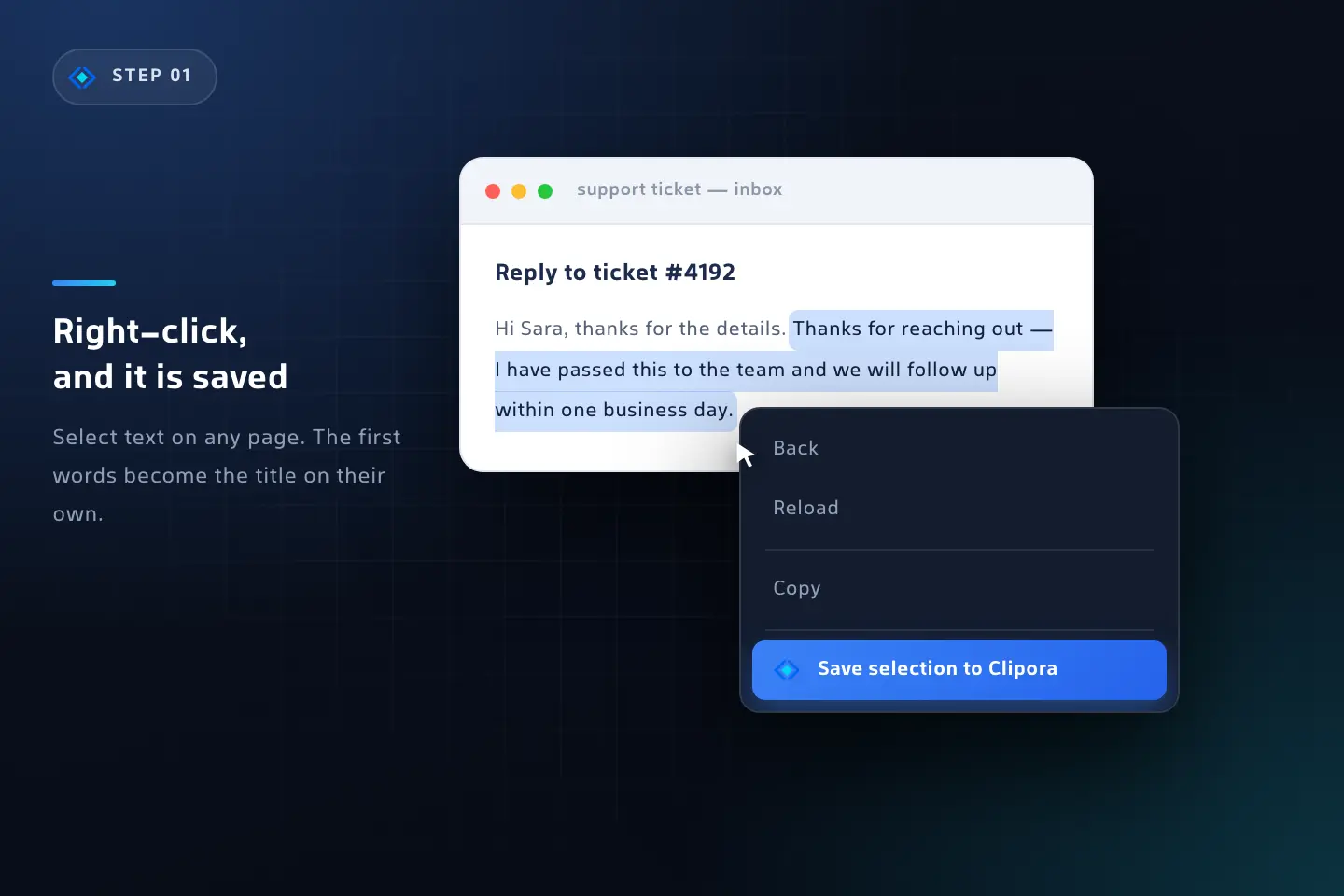
Save it once
Write it in the editor, or select it on any page and save it with a right-click.
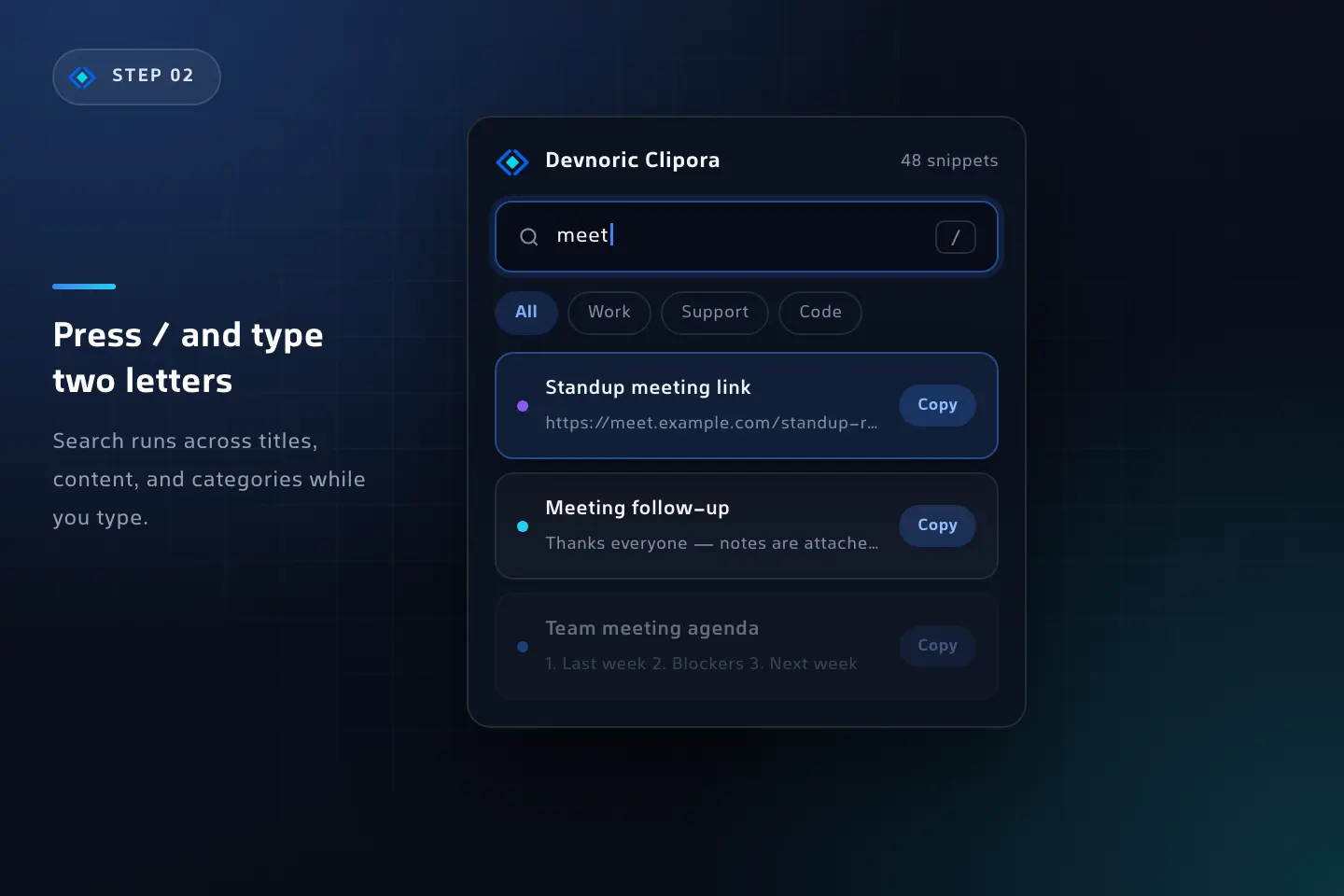
Find it fast
Open the popup, press /, and type a word or two. Your snippet is the first card.
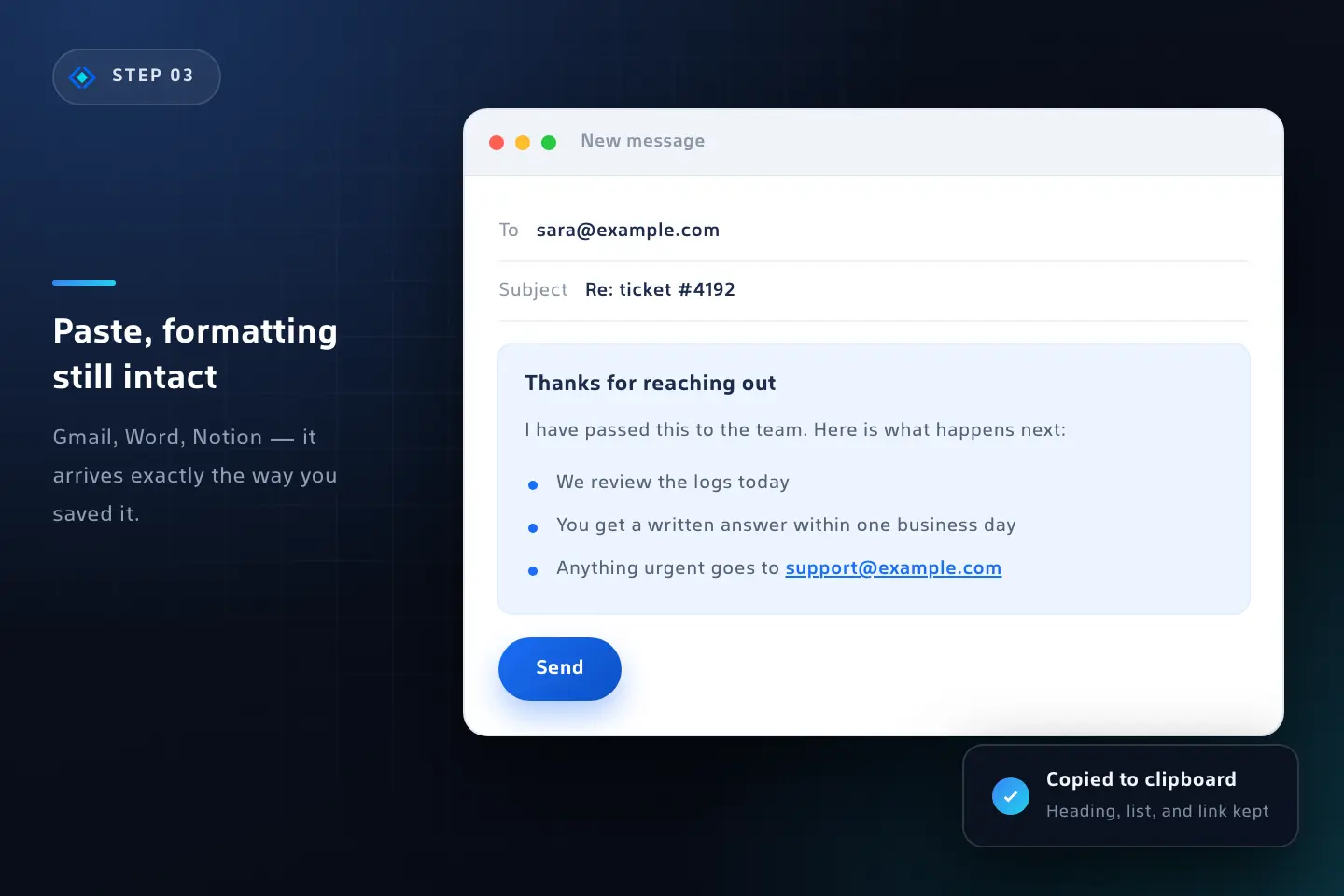
Paste anywhere
One click copies it. Paste it into an email, a ticket, a document — the formatting comes along.
Sync across your desktops, or never leave the device
You pick, and you can change your mind at any time from the settings page.
Chrome Sync
Your snippets follow you to every desktop Chrome where you are signed in.
- Handled by your own Chrome profile and Google account
- Each snippet is stored separately, so one long snippet cannot fill the quota
- Devnoric Clipora warns you before a snippet is too large to sync
This device only
Everything stays in Chrome’s local storage on this machine and goes nowhere else.
- Nothing is uploaded, not even to your own Google account
- Works with no internet connection at all
- JSON export gives you a backup file you own
Private because there is nowhere to send anything
Clipora asks for three permissions and has no way to reach the internet.
No page access
No content script and no host permissions. Clipora cannot read the pages you visit or your browsing history.
No clipboard reading
Devnoric Clipora writes to the clipboard when you click a snippet. It never reads what is already there.
No tracking of any kind
No analytics, no advertising identifiers, no crash reporting, no accounts.
Built for people who keep their hands on the keys
Every control is reachable by keyboard, with focus states you can actually see.
Jump to the search box
One-click copy
One-click copy
Questions people ask
Yes. No ads, no paid tier, no upsell, and no trial that expires. It is a free tool
from Devnoric.
In Chrome’s own extension storage — either synced across your signed-in desktop Chrome browsers, or kept on this device only. You choose, and you can switch later. Devnoric runs no server for your snippets.
No. It has no content script and no host permissions. The only page text it ever receives is the text you select and deliberately save with the right-click item.
Turn on Chrome Sync and they travel with your profile, or use the JSON export on the settings page and import the file on the other machine.
It installs in Chromium browsers that accept Chrome Web Store extensions, such as Edge and Brave. There is no Firefox build yet.
No. Clipora is not a password manager and does not encrypt anything. Keep passwords, card details, recovery codes, and API keys in a proper password manager.
Get the minutes back
Devnoric Clipora counts the characters you copy and shows you roughly how much typing time you saved. Most people are surprised by the number.
Free | No account | Three permissions, nothing more